


- Supported Bit Versions
- 64-bit
- Source Code URL
- https://github.com/dimtpap/obs-pipewire-audio-capture
- Minimum OBS Studio Version
- 28.0.0
- Supported Platforms
- Linux
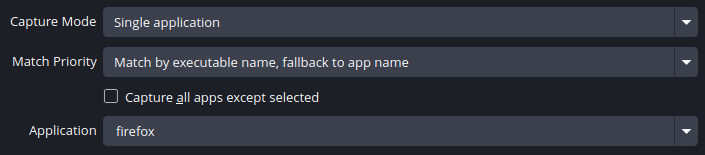
This plugin adds 3 sources for capturing audio outputs, inputs and applications using PipeWire.

More info and building instructions can be found on GitHub.
Usage
Requirements
- OBS Studio 28.0 or later
- WirePlumber
- PipeWire 0.3.62 or later (#17, PipeWire#2874)
pipewire-pulse compatibility layer should be enough, but there are also pipewire-jack and pipewire-alsa. If applications aren't showing up in the plugin, your system may be missing one of those components.Installation
If OBS Studio is installed as a Flatpak, install the plugin from Flathub. Use your software center or the following command
If the sources show no devices or apps, run
Bash:
flatpak install flathub com.obsproject.Studio.Plugin.PipeWireAudioCaptureflatpak override --filesystem=xdg-run/pipewire-0 com.obsproject.Studio and restart OBS Studio.- Get the linux-pipewire-audio-(version)-33.tar.gz archive from the latest release
- Extract it in ~/.local/share/obs-studio/plugins (create the folders if they don't exist)
Code:
.../obs-studio/plugins
├── linux-pipewire-audio
│   ├── linux-pipewire-audio.so
│   └── data
│       └── locale
│ ...- Get the
linux-pipewire-audio-(version).tar.gzarchive from the latest release - In OBS Studio, go to File, then click Show Settings Folder
- In the folder that opens, create a folder called
pluginsif it doesn't already exist - Extract the archive you downloaded in the
pluginsfolder - Restart OBS Studio
- If you're using the Flatpak and the sources aren't working, run
flatpak override --filesystem=xdg-run/pipewire-0 com.obsproject.Studioand restart OBS Studio - Your files should look like this
Code:.../obs-studio/plugins ├── linux-pipewire-audio │ ├── bin │ │ └── 64bit │ │ └── linux-pipewire-audio.so │ └── data │ └── locale │ ...
More info and building instructions can be found on GitHub.


