


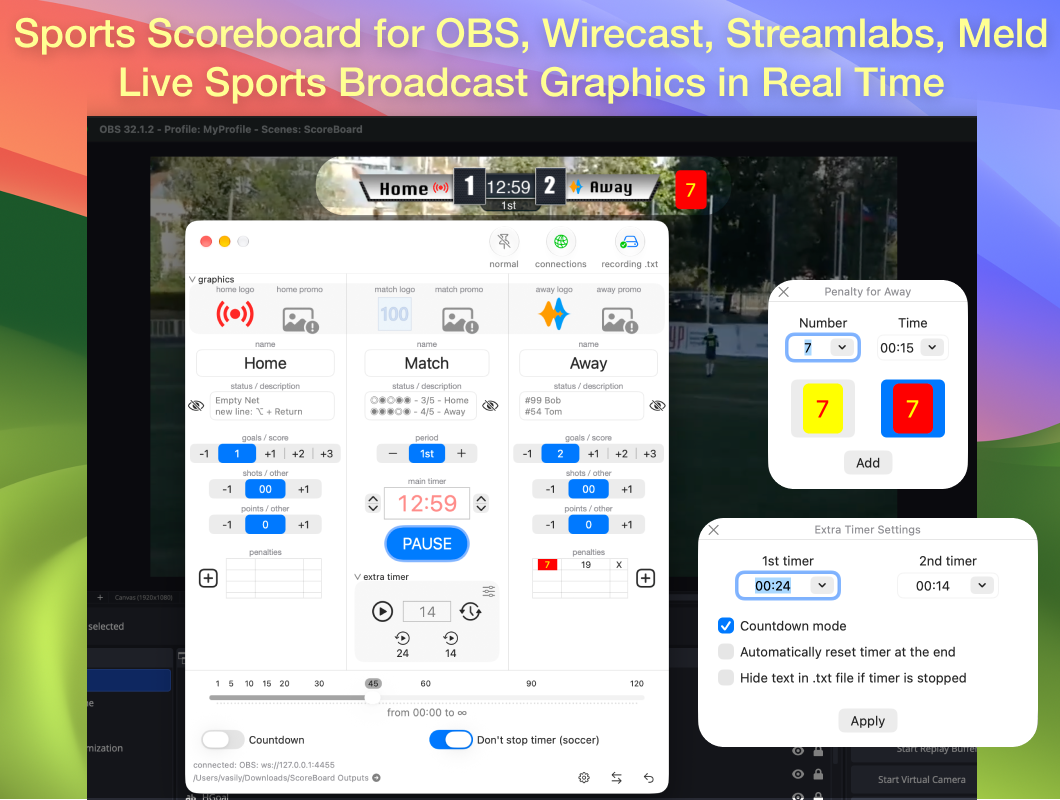
Sports Scoreboard is a professional live scorebug and scoreboard overlay for OBS Studio and Wirecast on macOS. Perfect for live streaming hockey, soccer, basketball, volleyball, baseball, handball and many other sports.
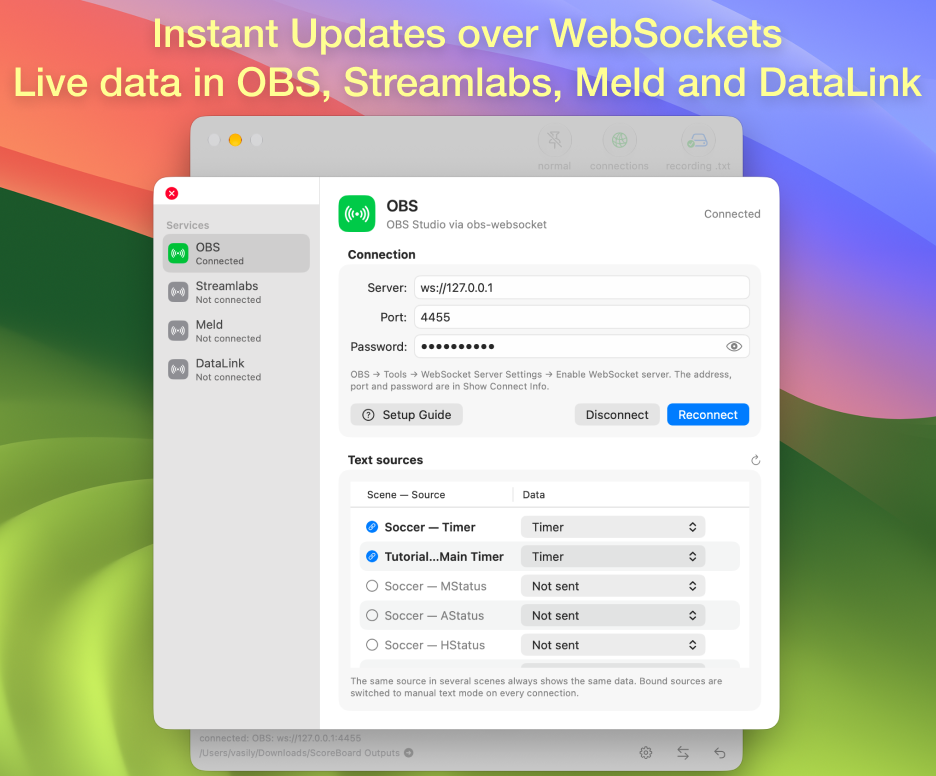
Scoreboard data can be delivered instantly via WebSocket to OBS Studio, Streamlabs, Meld Studio, and DataLink for NewTek TriCaster, or exported as TXT files for any software with text sources, such as Wirecast.
All scoreboard data updates in real time, so you can build a live score overlay in OBS in just a few minutes, using either WebSocket or Text (FreeType 2) sources with TXT files.
See the ScoreBoard setup guide for OBS to get started.
You can also download the ScoreBoard free trial — a lightweight, stable version with restrictions in some fields, perfect for trying the software before upgrading to the full version.

WebSocket (recommended for real-time updates)
1. Enable the WebSocket server in OBS, Streamlabs, Meld Studio, or TriCaster DataLink
2. Connect ScoreBoard to this server
3. Bind the scoreboard data to the text sources you need
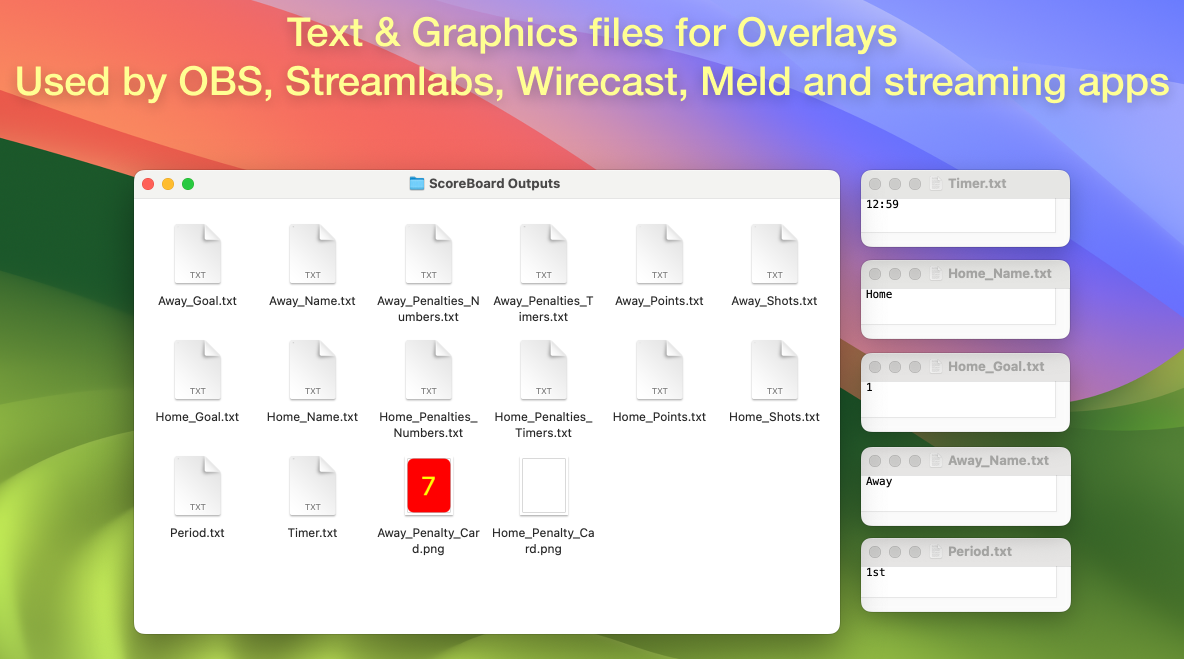
TXT files
1. Add a Text (FreeType 2) source in OBS
2. Select the TXT files from the ScoreBoard Output folder
3. Place the overlay above your video layer

Yes, the free trial is fully functional with limits on some fields. The full version is a one-time purchase on the Mac App Store.
- Which sports are supported?
Hockey, soccer, basketball, volleyball, baseball, handball and other sports using a generic clock/score/period format.
- Does it work with other streaming software, not just OBS?
Yes. WebSocket integration is available for OBS, Streamlabs, and Meld Studio (and DataLink for TriCaster). In addition, everything is exported as plain TXT files, so ScoreBoard also works with any Mac software that can read a text source, for example Wirecast.
- What is the difference between WebSocket and TXT output?
The data is exactly the same. The difference is update speed in OBS: WebSocket delivers changes instantly, while TXT output depends on how often OBS re-reads the text files, so updates can lag slightly.
Questions, bug reports and feature requests are welcome on the ScoreBoard support & FAQ.
Scoreboard data can be delivered instantly via WebSocket to OBS Studio, Streamlabs, Meld Studio, and DataLink for NewTek TriCaster, or exported as TXT files for any software with text sources, such as Wirecast.
All scoreboard data updates in real time, so you can build a live score overlay in OBS in just a few minutes, using either WebSocket or Text (FreeType 2) sources with TXT files.
See the ScoreBoard setup guide for OBS to get started.
Features
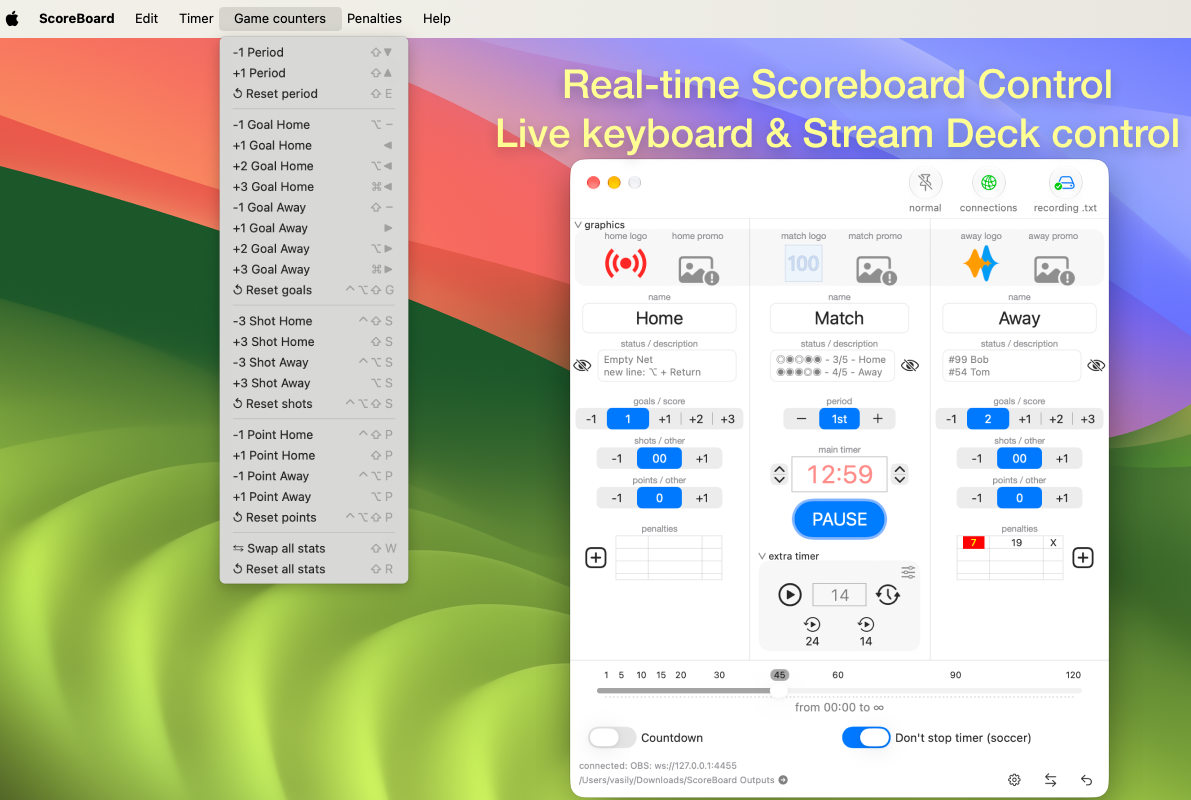
- Game clock with countdown or stopwatch modes (including tenths of a second support)
- An extra timer with two presets for basketball
- Live score for both teams (goals, points, strikes)
- Period, quarter or inning display
- Home and Away team names
- Custom team status/description with independent show/hide control
- Hockey penalty timers
- Shots, fouls and other team statistics
- Yellow and red cards for soccer
- Team logos and promotional images for Home, Away and Match
- Hotkeys for fast live control using the keyboard or Stream Deck
- Instant WebSocket output to OBS, Streamlabs, Meld, and TriCaster DataLink (timer with tenths of a second)
- TXT file output for any software that reads text sources
- Designed for professional sports broadcasts, live streaming and scorebug overlays
Who is it for
Built for streamers, sports clubs, schools and local broadcasters covering hockey, soccer, basketball, volleyball, baseball and handball games — anyone who needs a reliable scorebug overlay for OBS Studio or Wirecast without a dedicated production team.
Get the full version
The latest versions are available on the Mac App Store — roughly the cost of coffee and pizza.You can also download the ScoreBoard free trial — a lightweight, stable version with restrictions in some fields, perfect for trying the software before upgrading to the full version.
How it works
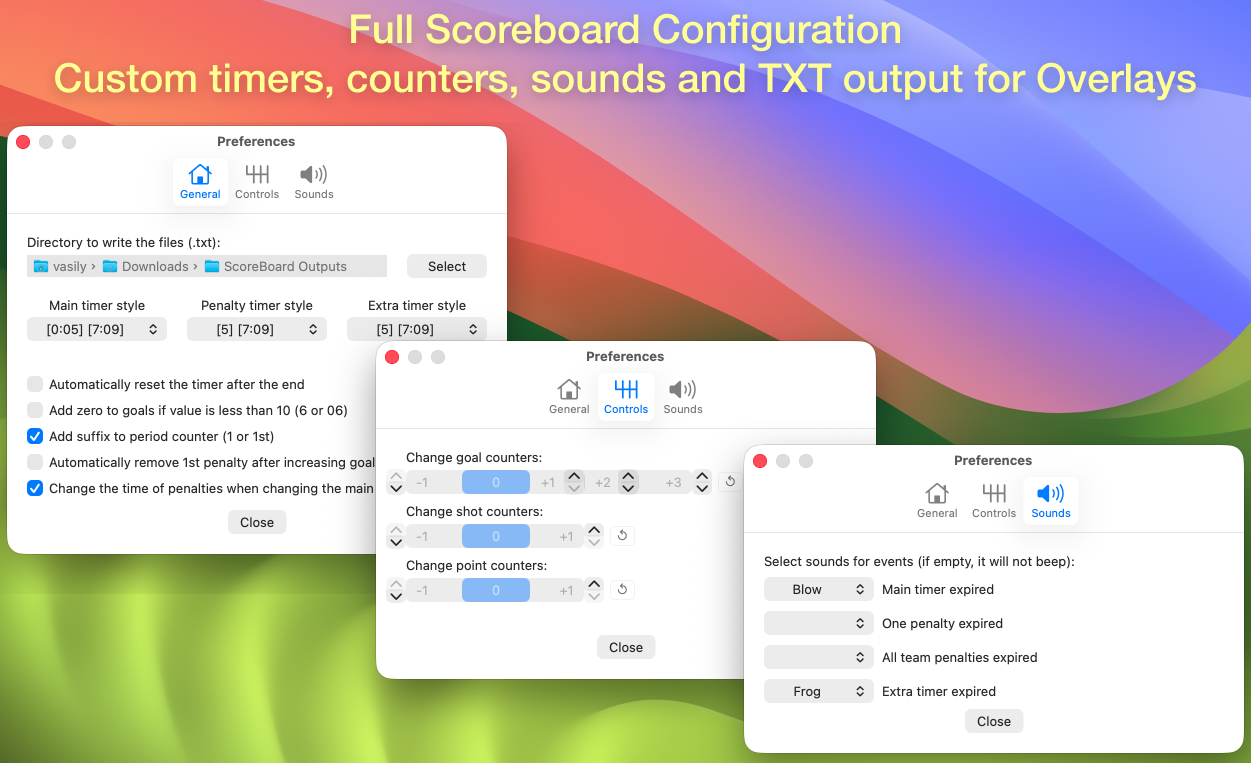
All output data is stored in TXT files on your Mac. Each file can be used in OBS (Add Source → Text) over a scoreboard picture or graphic. In the settings window of ScoreBoard (gear icon), choose the folder where the TXT files are saved.WebSocket (recommended for real-time updates)
1. Enable the WebSocket server in OBS, Streamlabs, Meld Studio, or TriCaster DataLink
2. Connect ScoreBoard to this server
3. Bind the scoreboard data to the text sources you need
TXT files
1. Add a Text (FreeType 2) source in OBS
2. Select the TXT files from the ScoreBoard Output folder
3. Place the overlay above your video layer
ScoreBoard for OBS on MacOS (video instruction)
FAQ
- Is it free?Yes, the free trial is fully functional with limits on some fields. The full version is a one-time purchase on the Mac App Store.
- Which sports are supported?
Hockey, soccer, basketball, volleyball, baseball, handball and other sports using a generic clock/score/period format.
- Does it work with other streaming software, not just OBS?
Yes. WebSocket integration is available for OBS, Streamlabs, and Meld Studio (and DataLink for TriCaster). In addition, everything is exported as plain TXT files, so ScoreBoard also works with any Mac software that can read a text source, for example Wirecast.
- What is the difference between WebSocket and TXT output?
The data is exactly the same. The difference is update speed in OBS: WebSocket delivers changes instantly, while TXT output depends on how often OBS re-reads the text files, so updates can lag slightly.
Questions, bug reports and feature requests are welcome on the ScoreBoard support & FAQ.


