


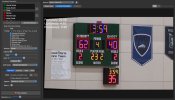
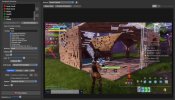
ScoreSight reads the scores, clock and period off any scoreboard (a stadium board filmed by a camera, a capture card, an NDI feed, an RTSP stream or a window on your screen) and puts them into OBS live. Free and open source, for Windows, macOS and Linux; the reading runs on your own computer.
Getting the scores into OBS
• Update text sources over OBS's built-in WebSocket (OBS 28 and newer), or let ScoreSight create a ready-made scene
• Or add one of ScoreSight's browser overlays (scorebug, lower third, clock) as a Browser source
New in 0.3
• PP-OCR: a much more accurate reading engine (PaddleOCR's PP-OCRv6)
• Live browser overlays served by ScoreSight
• Draw a field's box right on the picture
• TCP / UDP output with presets for CasparCG, Chyron, Vizrt and more
Video tutorials
1. ScoreSight in 3 minutes: https://youtu.be/21LhNHbH9gU
2. Install and connect your camera, NDI, RTSP stream or screen: https://youtu.be/6P1K4CpHUwM
3. Straighten the scoreboard picture: https://youtu.be/XUPebWz5Cuc
4. Place boxes over every score and clock: https://youtu.be/fwKIpfiTbCo
5. Rock-solid readings: https://youtu.be/ZOoNYqGhmmI
6. Game day: https://youtu.be/1HRfxRJHBKk
8. Outputs: HTTP server, JSON and text files: https://youtu.be/tKA6UBqcDC0
9. Browser overlays: https://youtu.be/2i_7QR6-yKY
10. Live scores in OBS Studio: https://youtu.be/anQl1D921O0
12. overlays.uno and Singular.live: https://youtu.be/vMrr92-3LeI
13. CasparCG, Chyron, Vizrt and TriCaster: https://youtu.be/HaWNl92JLBE
14. Two cameras, backups and troubleshooting: https://youtu.be/FVqdjvmnFIU
Download: https://github.com/royshil/scoresight/releases/latest
Documentation: https://royshil.github.io/scoresight/
-
 scoresight.png
-
 scoresight setup (1).png
-
 Screenshot 2024-03-01 at 11.06.39 AM_1024.jpg
-
 Screenshot 2024-03-01 at 11.18.03 AM_1024.jpg
-
 scoresight game.png


