Question / Help Elgato Audio Stuttering And Video Jumping On OBS While Recording/Streaming!

Andrew Dale

New Member
Update As Of (26/2/2016): Hello everyone been doing a lot of testing on my own to see if I can fix this problem but still haven't been successful. During my tests I've discovered that when I'm using OBS with my Elgato my CPU usage runs between 25%-40%, Memory runs between 35%-50%! I'd imagine this is the cause to the audio stuttering and the video jumping. All I want to know is what would be the best settings for me to use on OBS that would bypass this problem?

Specs: Processor: Intel(R) Core(TM) i3-5005U CPU @ 2.00GHz, 2000 Mhz, 2 Core(s), 4 Logical Processor(s)
Installed Memory (RAM): 8GB
Hard Drive: 1TB
Graphics Card: Intel(R) HD Graphics 5500
System Type: 64-bit Operating System, x64-based processor
Windows 10 Home

Thank you for your time, I hope to hear from anyone that would be able to offer some assistance.
 
Last edited:
hi andrew, i used to get this problem but setting my device properties for the elgato in obs to use waveout audio renderer instead fixed this problem, im not sure however if this is available in Studio/MP as I've not had it installed for a while.

If you can do that I highly suggest to give it a go as this fixed an issue i was having for a while.
 
Hello Tunamoo I tried what you said there but I'm still getting the Audio and Video stuttering, I'm literally running on lowest settings at the moment so I'm thinking my laptop isn't cut out for this even more now.
 
its possible that you have something running on your laptop using up cpu cycles, some of that software listed causing hook conflicts are probably just examples as they poll statistics to be output by the software which requires cpu cycles.

I'd suggest closing programs running in task manager that are not needed whilst streaming and see if the problem persists after that.
 
Hooking Conflict is one of the issues the analyzer has been detecting, I even downloaded Process Explorer but I literally don't know what I can shut down and what I can't so I haven't figured that out yet sadly. It says this:

"Game capture detected a hook conflict but was unable to determine which application was responsible. Try closing any other applications that may be injecting into your game, such as FRAPS, D3DGear, MSI Afterburner, AMD Raptr / Gaming Evolved, Action!, TeamSpeak/Mumble Overlays or any other kind of FPS monitor or overlay program"

I have no idea what any of this is expect FRAPS which I do not have on my laptop or any of the things above.

Did some more test videos while tweaking the settings on OBS and Elgato no matter what it'll still have the issue.
 
perhaps its worth looking up how to configure services for windows 10, i know that win 10 is supposed to be more resource friendly than older iterations but maybe theres something running that is causing it so perhaps look up some windows 10 services tweaking guides.

Also check your power options in control panel, if your laptop is set to run at lower power even when plugged in it will limit your performance.

theres not alot else i can think of right now unfortunately
 
I'll look up somethings and I'm going to try it out with OBS now.

Just done a test video on the Game Capture HD software and it ran fine without a single glitch so that's boosted some hope within me that I maybe able to sort it out somehow.
 
I don't see any performance issues in this log, but it was pretty short. Have you tried running your Elgato source at a lower resolution? No reason to make it output at 1080p for a PS1 game.
 
Ah yeah I forgot to configure the Elgato down to Standard Resolution, the reason the log is short is because I just recorded a video and then quit OBS to get the log.

As I've said above though it doesn't matter what settings I use on OBS for the Elgato the audio and video stuttering remains the same but the FPS stays at 30. The best example I can give you of this issue is the Twitch Video link in the first post
 
The problems did happen in my last recording I performed, the last major problem that was coming up in the log files yesterday was the Hook Conflict but I dealt with that this time around it seems.

I'll try again tomorrow and post a bigger log file to see it'll help diagnose my problems that I haven't figured out the cause to.
 
I have a new log ready here but it comes up the same results as the last one, it keeps saying I'm running my Elgato at 1920x1080p when I'm not it's running at 720x480p!

I really don't know how I'm going to fix this problem with OBS not running well with my Elgato, might need to resort to using the Game Capture HD software to live stream/record videos instead but I really don't want to have to do that.

OBS with the Elgato worked fine on my older laptop that only had an Intel Pentium processor CPU, is a Dual Core 5th Generation i3 processor CPU on my current laptop worse or something?
 

Attachments

You're running the stream at 720x480, that isn't the same thing as the resolution the capture card outputs to OBS. Open the properties window of your Elgato source and change the resolution there.
 
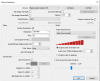
I have it set to the same resolution on the video tab for OBS and on the properties settings for the Elgato. This is my current settings here:
 

Attachments

  • Elgato OBS Settings.png
    Elgato OBS Settings.png
    23.7 KB · Views: 74
Hello everyone having to troubleshoot this problem again, did a few live streams earlier in the week. The first one went fine with no audio or video stuttering but when I live streamed the next day the problem started happening again in the middle of the stream!
 
Currently troubleshooting! Any assistance would be highly appreciated.
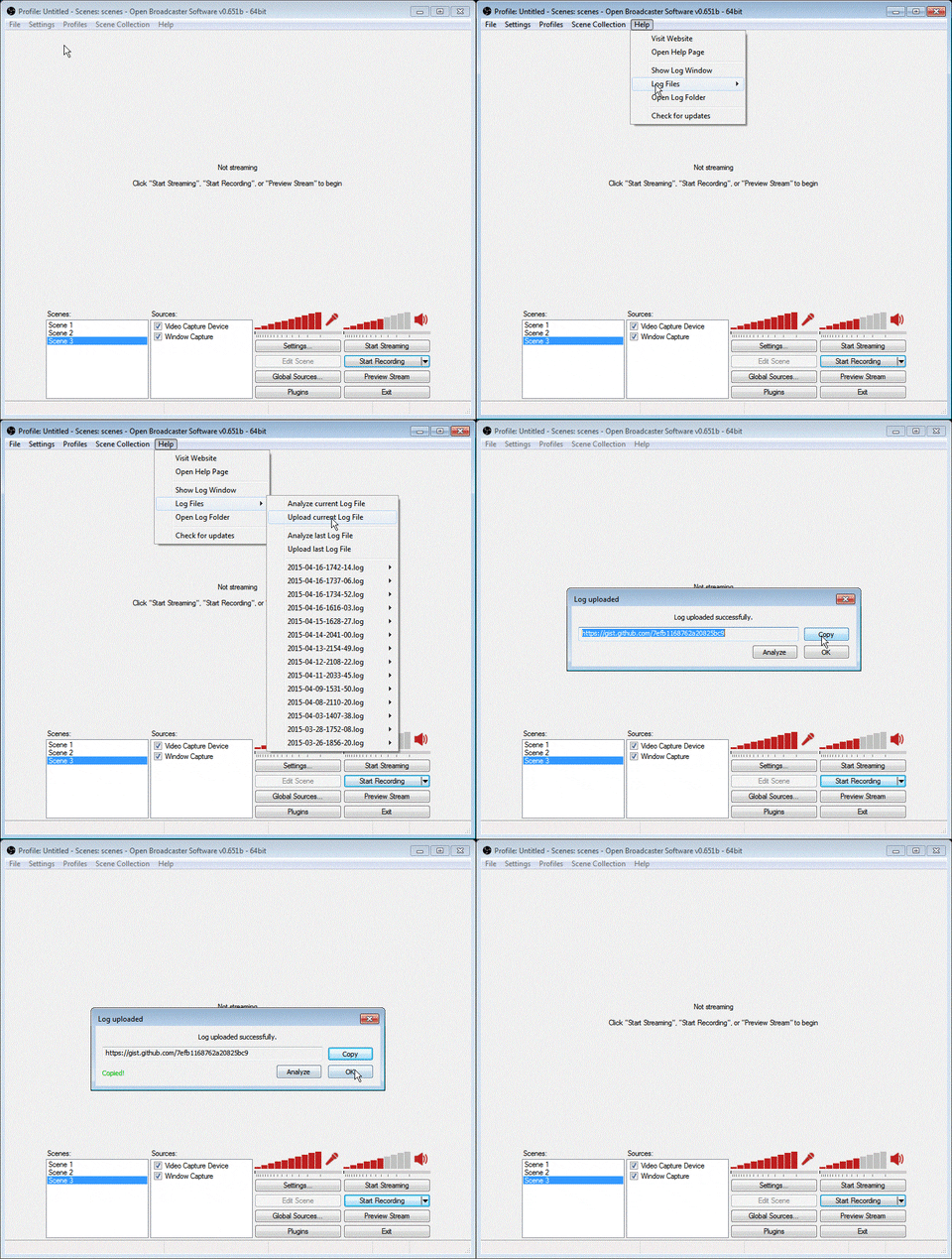
restart OBS then record for 5 mintues or more, then post a log. the restarting makes a new log so I dont go through 15 pages of you changing settings and restarting the stream
giphy.gif
 
Go to Settings > Advanced and bump your scene buffering time from 700 to 2000. The delay on your mic is greater than the current buffer and it's having a ton of timing issues, which is probably why everything is hitching.
 
Back
Top