MurlocNerd
New Member
Hi! I'm Jacob and I just started recording youtube video's using obs. The problem is I cannot seem to get my FPS on the recording side up. The FPS in game is fine and I see everything clearly, but the FPS when I record is just awful. Is it my computer? Or do I have a setting wrong? here are my specs on the computer:
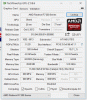
Radeon Software Version - 15.11
Radeon Software Edition - Crimson
Graphics Chipset - AMD Radeon R7 200 Series
Memory Size - 2048 MB
Memory Type - HyperMemory
Core Clock - 600 MHz
Windows Version - Windows 10
System Memory - 8 GB
CPU Type - AMD FX(tm)-4300 Quad-Core Processor
Here are my OBS settings:
http://imgur.com/a/wBdc8
If you need more from me let me know. I have no idea what is wrong and could really use some help. Is it my computer? Is it my OBS settings?
So just to sum it up again, when I record the gameplay I see when I play is smooth. However when I look at my obs recording screen it's always around 11-20 FPS and the gameplay looks very laggy. Can anyone help me figure out why and fix the problem? Thanks in advance!
Radeon Software Version - 15.11
Radeon Software Edition - Crimson
Graphics Chipset - AMD Radeon R7 200 Series
Memory Size - 2048 MB
Memory Type - HyperMemory
Core Clock - 600 MHz
Windows Version - Windows 10
System Memory - 8 GB
CPU Type - AMD FX(tm)-4300 Quad-Core Processor
Here are my OBS settings:
http://imgur.com/a/wBdc8
If you need more from me let me know. I have no idea what is wrong and could really use some help. Is it my computer? Is it my OBS settings?
So just to sum it up again, when I record the gameplay I see when I play is smooth. However when I look at my obs recording screen it's always around 11-20 FPS and the gameplay looks very laggy. Can anyone help me figure out why and fix the problem? Thanks in advance!