
Question / Help Game Capture Twice for Recording and Streaming

how do I use game capture twice? Its the only thing that works for me for recording pc gaming...

I tried monitor capture and window capture, hear sound, but not picking up game video. It does pickup desktop, until I switch to game.

I'm using multi to open up two windows of OBS to record and stream at the same time!

I want a video version without facecam for YouTube and a video version with the facecam for streaming

I have amd xfxR7870 driver updated
windows 8

Not sure why moniture capture doesnt work...
 
Last edited:
how do I use game capture twice? Its the only thing that works for me for recording pc gaming...

I tried monitor capture and window capture, hear sound, but not picking up game video. It does pickup desktop, until I switch to game.

I'm using multi to open up two windows of OBS to record and stream at the same time!

I want a video version without facecam for YouTube and a video version with the facecam for streaming

I have amd xfxR7870 driver updated
windows 8

Not sure why moniture capture doesnt work...
you could try out OBS MP for windows, which allows different bitrate for local recording and streaming all in one instance, but it wouldn't remove your webcam.

https://obsproject.com/forum/threads/latest-windows-test-build-0-8-3.23342/

just fair warning, this is in alpha so to speak, and you cannot toggle the mic recording, plus there are a few OBS1 features that havne't been ported over, but it should do what you want to do (minus the webcam thing).
 
Thanks, but I'll just buy Xsplit if I want to do that. OBS can do what I want it to, I just need to find out why monitor capture is not working....
 
Last edited:
Thanks, but I'll just buy Xsplit if I want to do that. OBS can do what I want it to, I just need to find out why monitor capture is not working....
Post your logfile. from the help menu. copy the link and post the link here.

Monitor capture is not recommended, window and/game should both work. so are you trying to capture the same game/windo or trying to stream one, and stream the preview of the other?
 
Ok will do, I just tried reinstalling my graphics card driver....

Thanks for the tip.

Just trying to record at higher bit rate without facecam for youtube

And in second window trying to stream with facecam to twitch
 
I'm about to give up, maybe because I'm using old LCD 5:4 1280x1024 and a new 16:9 LCD at 1080p. I have no clue....

But game capture works, that's it. OBS wont even pick up a window under window capture mode when I hit refresh and I have 4 windows open. In monitor capture, it picks up the desktop, but when switched to game, it goes black screen, but i can hear the audio.
 
Fuck it, I'm going to game for few minutes, let me know what you guys come up with...
And you have a second logfile for me as well? the one for the streaming?

Also, can you use game capture for both instances?


EDIT2: I'm guessing you are using this guide?
http://www.helping-squad.com/use-two-or-more-instances-of-obs/

I'm reading it now and will get back to you.

The issue is Windows 7 sucks when it comes to monitor capture with aero enabled, BUT when aero is disabled, it will works well. on the flipside, game capture works well with aero enabled, but sucks when aero is disabled.

it would be difficult to get it both ways so I would say to go with aero disabled and use monitor capture for both instances (even though I know it might be iffy on holding 60fps).

Next get the VCE fork branch of OBS here: https://obsproject.com/forum/threads/obs-branch-with-amd-vce-support.13996/
This will allow you to local record using your video card which will give you more CPU to use with your streaming instance of OBS.

follow the guide with creating the "fake" display so that you can "project" from the OBS VCE build to your regular version of OBS. http://www.helping-squad.com/fake-connect-a-monitor/

Then set it up as it shows.


When setting up the VCE branch of OBS, you can use 1080@60fps but using the "speed" preset in the VCE encoding tab. this will not hurt the video quality since you will be recording local and have more room with bitrate.


I can help you set it up in a PM but you will need to post your results so others can see what you did and hopefully, help someone else :D
 
Last edited:
I was using https://www.youtube.com/watch?v=6JcxFUG-6PA

the guide you showed seems easier, might be able to do that one, cool...
read above :D I will help you set it up since it might be a little different from what the guide shows, especially with the VCE fork of OBS.


EDIT: Ideally you'd setup the VCE build of OBS with local recording and get it how you want your youtube video to look. set the bitrate to 15000 and dont put the webcam in this instance. next have that instance capture the primary monitor.

Next, use the second instance of OBS to capture the "projector" output of OBS-VCE instance on the "virtual monitor" then set that one to add in your webcam and other overlays. set your resolution/bitrate/fps to your liking and try it out. once that is done, you should be able to even have room to drop the CPU preset a little for better stream quality.
 
Last edited:
Dude I got windows 8, aero doesnt pertain to me, i have no clue why monitor capture doesnt work for me. I tried window capture and it works, bet then I have to resize in edit scene to get the right window size, kind of a pain. I Like the guy said in the video, I can use window capture to just stream off my OBS record window, hopefully this will still look good for gamers watching my stream, only way is to try...
 
Yeah window capture looks like shit, trying to stream off my record window, especially since I have to keep the windows small
use a "virtual monitor" and set it to 1080@60hz. note what the display in windows 8 calls it then use the projector view (not preview window) to send it to your third monitor.

my bad witht he windows 8. OBS logs confused me, I thought I saw build 7600 instead of 9200 like you have :P
 
Say what....lol

That's all another language to me.... Dude I need to get some gaming in me, this is fucking driving me ape shit crazy, been working on this the whole day
 
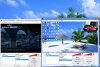
You can see, I can pick up both, but when I switch to urban terror, the fucking grim reaper fucks me with the black screen of death.
 

Attachments

  • d55.jpg
    d55.jpg
    95.4 KB · Views: 68
Back
Top