Question / Help OBS and Lightworks

Roy

Member
Hello

I'm trying to learn how to edit and I've downloaded Lighjtworks recently.

For some reason I can't import any vids to lightworks that I recorded using OBS. It's like the videos aren't even there. I was wondering if anyone else has ran into this problem and if so I could use some help.

Thanks

Roy
 
I converted the video to MP4 and uploaded it to lightworks, but I've got no audio. Does anyone have a idea why the audio is not there.

Thanks
 
Hello I converted multiple videos to MP4 with remux, but only one has audio when I go to watch it. None have audio when I import them to lightworks. I was wondering if someone might have a idea why this is.
 
What's the audio format you're recording in? MP3 or AAC?

(Also posting a log is generally a good thing).
 
This is what I posted in the lightworks forums.

AAC is the format.

I've noticed I've only got audio on the vids when I open the vid with VLC as well. Not sure if that has anything to do with it or not.

Just thought I mention that.
 

Attachments

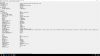
  • 2016-07-10 (4).png
    2016-07-10 (4).png
    72.7 KB · Views: 107
I'm not getting any waveform in timeline on lightworks after importing video either. So it seems as if the audio is not importing over.
 
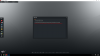
I keep getting this if I use transcode on lightworks as well.
 

Attachments

  • 2016-07-10.png
    2016-07-10.png
    657.1 KB · Views: 125
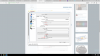
This is after I made these changes as provided by lightworks forums.
 

Attachments

  • 2016-07-10 (7).png
    2016-07-10 (7).png
    478.9 KB · Views: 109
Most programs don't like variable frame rate recordings, so turning that off makes sense.

No need to set OBS to Ultrafast, unless you want to/need to (i.e. your system can't keep up).

I'm not sure on Lightwork's support for multiTrack MP4 audio files. What does/did the Lightwork people say about that?
 
I've had no success with multitrack MP4s in Lightworks when I tried it, either. Might need to extract the audio into a separate WAV file.
 
Also please keep in mind that recording to the format MP4 makes your recordings susceptible to corruption (this happens in DSLRs and other silly devices that record to the MP4 format directly). This is because the index is written at the end of the file instead of the front (like FLV, MKV, MXF, M2ts, among others), so if anything happens, *BANG* - a completely unusable file.

Try doing a recording in the flv format with these changes and remux it for Lightworks.
 
The only 2 programs I've ever had success with video+multi-audio track files in are Avid Media Composer and Premiere Pro (CC 2015.2 and later).
 
This is what was posted last to me. Would the drivers have anything to do with it?


Are you trying to do everything off of a single drive? I run three discs; one to contain the Lightworks program files, a second to contain Lightworks operating folders called "Material" and "Sound", and a third drive to contain my source files.Ideally, one should have at least two drives available to run Lightworks. One to contain the Lightworks program files and the other to contain material and media files.
 
The only 2 programs I've ever had success with video+multi-audio track files in are Avid Media Composer and Premiere Pro (CC 2015.2 and later).

The only problem I have with the other editing software is the fact I can try lightworks out for free before I get into it to deep.

I looked into Premiere Pro, but the price is high for a person that hasn't ever done this and is trying to figure out if I can even learn how to do this.

That's my only concern, but at this point I might not have a choice if I'm going to have problem with lightworks and obs.
 
Davinci Resolve also has a free version, but it won't handle multitrack audio in mp4 files either. I extract audio and import into Resolve for my videos, so I can help you with using ffe to do that, if you want. Should work with Lightworks as well.
 
Back
Top