mfreinf
New Member
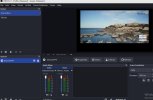
I use OBS 33.0.1. windows10 exclusively for capturing two webcam streaming sites with default settings
when i use obs with only one browser scene all works okay, ex. https://www.skylinewebcams.com/webcam/espana/canarias/las-palmas-gran-canaria/mogan-puerto-rico.html
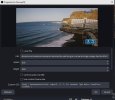
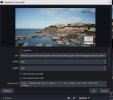
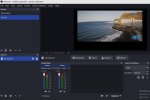
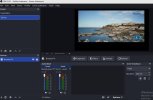
adding a second scene with a second browser instance ex. here https://www.skylinewebcams.com/webc...-palmas-gran-canaria/mogan-playa-taurito.html causes several problems...
a) the second browser windows stopps after a few minutes updating
or in most cases
b) the second browser window shows the same as the first browser scene or visa versa
how could resolve the issue ?
when i use obs with only one browser scene all works okay, ex. https://www.skylinewebcams.com/webcam/espana/canarias/las-palmas-gran-canaria/mogan-puerto-rico.html
adding a second scene with a second browser instance ex. here https://www.skylinewebcams.com/webc...-palmas-gran-canaria/mogan-playa-taurito.html causes several problems...
a) the second browser windows stopps after a few minutes updating
or in most cases
b) the second browser window shows the same as the first browser scene or visa versa
how could resolve the issue ?