Question / Help rme babyface soundcard audio in

bluegold

New Member
Hello,

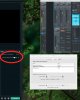
Im trying to do a live stream with audio coming from my rme babyface soundcard. All my input levels are fine in babyface (totalmix) but in obs the meter shows nothing.

I created a new audio input capture
selected babyface

but still nothing... any ideas?

I've heard i also need soundflower in there somewhere?

thanks
 
Same here, but I've got a UCX :)

RME's Totalmix can loopback the computer's audio so there should be no need for any other mixing/routing software such as soundflower (which sounds like total crap anyway). And if you have a Babyface i'm sure you have a DAW, so that's even more routing possibilities right there.

I know the audio loopback is happening because I can open up Ableton and see the re-routed audio coming in, but OBS is not showing any audio input/meter movement at all.


hmm....
 
I'm presently having the same issue. I can select the Babyface as input audio and nothing happens.

Also, if I add the Babyface as input audio to a scene, it doesn't work properly (sound indicator shows Laptop mic but does not respond to mic connected to Babyface, despite the Babyface being selected as audio input).

I really hope this issue gets fixed soon so I can stream some music production without having to go and buy Wirecast, which apparently does support the Babyface just fine.
 
Last edited:
Same issue here. Any other audio-source works fine with OBS, but no sound from the Babyface in OBS.
In system-audio the sound of the RME is present - so the routing is fine.

Did anyone solve the problem?
 
Same issue...
I have an RME fireface UC. Input is coming through when I check in my DAW.
In OBS, I can select fireface as audio input, but nothing happens.
 
The only way I can get it to work on a Babyface and a Fireface 802 using USB is to switch to Class Compliant mode on the Soundcard.
 
I've had this same issue too! Anyone find any solutions?

I've tried using Voxengo Recorder which I've seen mentioned as a solution. Problem is, the VST plugin is only 32bit so it doesn't work with Ableton (at least for me).

I've used the TotalMix Loopback function and I am able to loop the monitoring audio from Ableton to OBS. BUT it is not ASIO. So there is a quite a bit of latency and I am not able to record the audio at the same time in Ableton. At least I can get some audio levels showing in OBS though. I'm still looking for a more optimal solution however. Hope someone out there has an answer!
 
I've joined just to add to this list.

I have an RME Raydat (same Totalmix scenario) and while I can use the Loopback feature to record into any other software, I can't raise a sound in OBS.

In fact, even if I plug physical cables into *any* of the physical inputs on the interface, audio won't show up in OBS either.

Generally software like this takes Ch 1 and 2 as the stereo input, but OBS can't see audio in any input (including the digital ones).

I'm on 20.0.1.
 
Same here. I have three RME devices and I only want to record external audio sources - NOT desktop audio.
  1. Fireface 802 - tried in USB and Fireface modes
  2. Babyface - USB
  3. Multiface - PCI Expresscard connected via Thunderbolt
On OSX it isn't possible to select any of the sound inputs unless I switch to the USB variants Class Compliant mode. If I use them on a Windows machine they are available.

I haven't found any other programs with this problem.

EDIT: I notice I have already posted on this thread.
 
Hi guys
I have The same issue here and its been 2.5 years since last post.
I want to stream sound from my RME Fireface 400/ MacBook Pro (Retina, 13-inch, Early 2015) High Sierra 10.13.16.
and there is no sound no matter i'm doing.

Any solution?
 
Same problem... Fireface UC + Mojave + OBS recognized but no signal... Solution please... it work with Rogue LoopBack... but it's more expensive and the limitation generate a nose after 20 min of stream ...
 
Same here. I have three RME devices and I only want to record external audio sources - NOT desktop audio.
  1. Fireface 802 - tried in USB and Fireface modes
  2. Babyface - USB
  3. Multiface - PCI Expresscard connected via Thunderbolt
On OSX it isn't possible to select any of the sound inputs unless I switch to the USB variants Class Compliant mode. If I use them on a Windows machine they are available.

I haven't found any other programs with this problem.

EDIT: I notice I have already posted on this thread.
How do you switch to class compliant mode then?
 
Same issue with my FireFace 800. No audio coming in OBS though I can see the Audio interface.

Any work around? What is Loopback trick? Does it work?
 
My work around for the FireFace 800 is to loopback a couple of output channels (with cables) into input channels then have OBS pick them up. Not ideal, but it allows me to process before sending.

Hope that helps.
 
My work around for the FireFace 800 is to loopback a couple of output channels (with cables) into input channels then have OBS pick them up. Not ideal, but it allows me to process before sending.

Hope that helps.
I'm able to Loopback in TotalMix by clicking the Loopback button to Output 1 and 2. Just click on the settings logo (Wrench) beside Output 1 and 2, and you'll see it. This will acheive te same goal as plugging cables.

My problem however is that OBS doesn't even recognize my FF800 at all! Not even Output 1-2.
 
Same problem here with my RME Babyface Pro. Was pulling my hair out until I saw this forum. Hope there's a solution soon!
 
Streamlabs OBS for Mac doesn't recognize analog audio 1/2 or analog output 1/2 from RME TotalMix FX (via Babyface Pro FS). Is there another streaming application that can accomplish this simple use case?
 

Attachments

  • Screen Shot 2020-05-25 at 9.36.37 PM.jpg
    Screen Shot 2020-05-25 at 9.36.37 PM.jpg
    237.4 KB · Views: 203
Same Issue here!
RME FireFace 802 since I updated the system to Mojave (OSX 10.14.6) the Audio Input In OBS stopped to work, no matter which setup I try. Still try to find a solution because I need sound in my Videos for my guitar students during COVID-19 time.

I hope I find the solution, for sure I will post it here.
 
Back
Top