Question / Help Stutter in recorded footage

Kayonne

New Member
Hello everyone, I've trying to record some footage in order to get future content into my youtube channel. I'm trying to get the most of my rig without getting constant 95%+ usage of CPU but it seems impossible. I've seen quiet a few videos showing settings to record in High Quality with OBS Studio and even tho I can record without a significantly frame rate loss ingame, when I watch the footage that I just recorded it almost constantly stutters. Maybe the cause is that my CPU is quiet old but maybe my settings are wrong for my current setup. I dunno. Can you guys help me out with the settings for my setup?

CPU: Intel Core2 CPU 6600 @ 2.4GHz
Graphic Card: Asus R7 265 Series
RAM: 5GB
Upload Speed: 100MB

I also use VLC to play the footage and I've tried to record with both .flv and .mp4 but in both formats the video stutters quiet a lot.

Those are the logs of the footage that I recorded today.

Sincerely,
Kayonne.
 

Attachments

Last edited:
No-no-no, it is different problem. Your log says about CPU overload, to reduce it utilization, I suggest to higher CRF value.
 
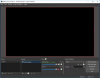
Yea, I know. All I did was changing the settings from the guide you linked, nothing else. Now it doesn't capture any footage ingame. I can hear the audio, but the screen is all black. Even in the preview.
 
Yea, I'm sure. Using the same Application/Game all I get is a Black Screen. I even tried to preview with a different game, but the result is the same. Black Screen.

Going to check it now.
 
Run game, select 'Game Capture' in sources list, right click Transform>Edit Transform... say what Size parameter is (both x,y)?
 
X and Y values are 0 alongisde Rotation.

I've also tried to Fit Screen, Stretch to Screen and Center to Screen. But nothing happend.
 
Yes, the red bounding fit the screen is on my OBS Studio screen with Game Capture selected, like shown below. And If I right click it and choose Transform>Fit to screen nothing happens.
I'll check it.

Also tried that. Ain't working.

Edit: Yea, I know. But I've tried to work with the position numbers but nothing seems to work. The black screen is staying no matter what I do or try. Even reversing the settings that I changed because of the guide doesn't fix it.
 

Attachments

  • Sem Título1.png
    Sem Título1.png
    21.8 KB · Views: 48
Create new Profile and new Scene Collection, setup in settings only path to your recordings. Run the game. Add one 'Game Capture' make it Fit to screen, alt-tabbing few times into the game (switch not very fast, about 5-8 sec per attempt), look at preview window - game must appear on screen, make a test record. Any changes?
 
I forgot to say you must use 'South Park - The Stick of Truth' the game - because earlier it successfully captured on your system. But it doesn't matter, you are no luck, man. Try next day with my lovely fr-043 demo as input.
 
No such luck, even with South Park - The Stick of Truth. No matter what I try, nothing seems to work. I'm going to call it for today, might try it again tomorrow tho.
fr-043 demo?
 
Back
Top