
Advanced Scene Switcher

Advanced Scene Switcher 1.37.2

New Log File / Update: https://obsproject.com/logs/9BiJAOhuZ1M4MLV5

I have a bit of an update - I decided to back up, bite the bullet, and upgrade to the latest version. 30.1.1 of OBS, and 1.28.1 of AdvancedSS. Fortunately nothing weird happened and my setup works fine as it did before - a little faster, even. The bad news? I am having the SAME issue - I have attached a log file again. I did start the plugin in the General tab. Just to be safe I deleted my old macros just in case the migration caused an issue, with all new macros with the same event and...no dice. Ugly hard cut. I just don't get it, but here's the latest log file with everything running.
The plugin still does not seem to be running.
I would have expected to see the "[adv-ss] started" log message.

Can you please enable verbose logging and share a corresponding log file?
Can you please also export your settings to a file and share it with me?

Just a guess:
Have you maybe accidentally configured the plugin to not be started on OBS startup?
(I am referring to option 4 on the General tab here: https://github.com/WarmUpTill/SceneSwitcher/wiki/General-tab-overview#status)
 
Absolutely, I'll make sure I do that shortly and get that to you here. I really appreciate the help in tracking down the issue. :-)
 
Hi, here's the updated logfile with verbose logging enabled: https://obsproject.com/logs/4UJ3WpdgCVhgZ5hh.

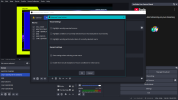
I appear to have this set up to run on startup. Took screenshot:
Screenshot (9).png
 

Attachments

  • Screenshot (8).png
    Screenshot (8).png
    157.2 KB · Views: 312
Hi, here's the updated logfile with verbose logging enabled: https://obsproject.com/logs/4UJ3WpdgCVhgZ5hh.

I appear to have this set up to run on startup. Took screenshot:
View attachment 110393
I would change the "On startup" setting to "Always start". That makes one less variable to consider. Did someone stop it before closing OBS? They weren't supposed to, but who knows?...

And I would run the "check every" setting as low as it goes, just to make it more responsive. You might not need that now, but if you do things like an automatic transition during the last 0.5 second of something, then it starts to matter. And if the additional CPU load of scanning that fast creates a problem, then you probably have performance problems already anyway. Adv. SS doesn't take that much, even with fast scanning.
 
@Warmuptill - I realized I did not give you the exported settings file, sorry about that! I have attached it here. Thanks so much again for helping troubleshoot. :-) Also here is the log file so you don't have to go digging through again: https://obsproject.com/logs/JtCdjstdqpVxRHnu
Thanks for sharing the log and settings file!

The new log file shows that the plugin is running and the actions are being performed.

Code:
...
19:21:35.998: [adv-ss] started
...
19:21:48.020: [adv-ss] running macro: MASTER-STANDBY
19:21:48.020: [adv-ss] running actions of MASTER-STANDBY
19:21:48.020: [adv-ss] performed action "AdvSceneSwitcher.action.audio.type.sourceVolume" for source "COUNTDOWN" with volume 1.000000 with fade 1 3.000000
...

I also imported your settings file and was able to see the source volume fading as expected for the macros where this setting is enabled. (MASTER-STANDBY and CAM 1 (MAIN) WITH BORDER)

I am at a bit off a loss as to why this would not be working on your side.
Would you mind hoping in a discord / zoom / teams / whatever ... call where you can share your screen so I can have a look at the problem live?
If you are up for it, please contact me directly by sending me a DM here on the forum.
 
I was wondering if anyone knew if I could use this plugin to fade out an audio input without changing scene?

I play music at times during my stream and there are times I need to stop the music so I can hear something in game etc. At the moment I just pause the audio in the application that's playing it, but that just hard stops the audio. I'd like to fade that audio out when I press a button (and pause it ideally) whilst staying on the same scene.

I can't figure out if this is possible.
 
I was wondering if anyone knew if I could use this plugin to fade out an audio input without changing scene?

I play music at times during my stream and there are times I need to stop the music so I can hear something in game etc. At the moment I just pause the audio in the application that's playing it, but that just hard stops the audio. I'd like to fade that audio out when I press a button (and pause it ideally) whilst staying on the same scene.

I can't figure out if this is possible.
Yes, that should be possible using a macro like this:
1735670064987.png


The keybinding for the "Fade hotkey" will have to be configured in the OBS settings window.
 
Thanks for sharing the log and settings file!

The new log file shows that the plugin is running and the actions are being performed.

Code:
...
19:21:35.998: [adv-ss] started
...
19:21:48.020: [adv-ss] running macro: MASTER-STANDBY
19:21:48.020: [adv-ss] running actions of MASTER-STANDBY
19:21:48.020: [adv-ss] performed action "AdvSceneSwitcher.action.audio.type.sourceVolume" for source "COUNTDOWN" with volume 1.000000 with fade 1 3.000000
...

I also imported your settings file and was able to see the source volume fading as expected for the macros where this setting is enabled. (MASTER-STANDBY and CAM 1 (MAIN) WITH BORDER)

I am at a bit off a loss as to why this would not be working on your side.
Would you mind hoping in a discord / zoom / teams / whatever ... call where you can share your screen so I can have a look at the problem live?
If you are up for it, please contact me directly by sending me a DM here on the forum.
Sounds great. Would be very much appreciated, thank you! Sending you a DM right now with my contact info. I just cracked open OBS again and I'm still having the same hard cut issue. I just generated another log file in the interim. The most important fade is having MASTER-STANDBY and CAM 1 (MAIN) WITH BORDER scenes fade when switched. BRB is also high on there. I also tried bringing "Check Conditions" down to 10 ms, and set it to 'Always Start', but it is quite stubbornly refusing to give me that nice audio fade. I also double checked to make sure I had the Fade toggle on for each source, with the specified time of fade in seconds, and I did, so. Log file: https://obsproject.com/logs/olqPPKy0U5ZHQjiL
 
Thanks for sharing the log and settings file!

The new log file shows that the plugin is running and the actions are being performed.

Code:
...
19:21:35.998: [adv-ss] started
...
19:21:48.020: [adv-ss] running macro: MASTER-STANDBY
19:21:48.020: [adv-ss] running actions of MASTER-STANDBY
19:21:48.020: [adv-ss] performed action "AdvSceneSwitcher.action.audio.type.sourceVolume" for source "COUNTDOWN" with volume 1.000000 with fade 1 3.000000
...

I also imported your settings file and was able to see the source volume fading as expected for the macros where this setting is enabled. (MASTER-STANDBY and CAM 1 (MAIN) WITH BORDER)

I am at a bit off a loss as to why this would not be working on your side.
Would you mind hoping in a discord / zoom / teams / whatever ... call where you can share your screen so I can have a look at the problem live?
If you are up for it, please contact me directly by sending me a DM here on the forum.
DM sent.
 
I need help... My use case is that I want a certain event in a game I play to cause the replay buffer to reset (turn it off and then back on), every time this event happens.

I'm trying to use the "If File contains" condition to read a logfile of the game and reset the replay buffer every time it finds an specific sequence of text (that indicates that said event just happened). The problem is: once this text appears on the log once, it stays there, so the condition will return true forever.

What I need is for the condition to match ONLY if the text is present at the 50 lines of the logfile. So as new lines flood the log, the condition will start returning false again until the event happens again and is within the last 50 lines again making the condition return true again.

I tried using regex matching patterns but none of the ones I tried work. They either always match (because the string is there somewhere in the log file, usually what happens if I enable partial match) or do not match at all (if partial match is off, I suspect the regex doesn't support "non-capturing groups").
 
Hi, I'm having a problem with advance scene switcher. here is the command below :

This used to work but I had to reinstall everything and OBS doesn't do the job anymore. Once activated the command works with a terminal or when I activate the swagger (https://localhost:5001/swagger/index.html) so the endpoint works. The idea is to activate my ATEM MINI change of cameras (where all my cameras are connected) when my guest or me are talking during my podcats.

Tks for the help,
Antoine

1736161304732.png
 
Hi @

Warmuptill,​


I'm looking for a way for Advance Scene Switcher to read a local text file and insert the value into a variable. Does this exist? The File condition or action or variable condition/action is not providing this.

Thank you for any guidance.
 
Hi @

Warmuptill,​


I'm looking for a way for Advance Scene Switcher to read a local text file and insert the value into a variable. Does this exist? The File condition or action or variable condition/action is not providing this.

Thank you for any guidance.
Variable action is providing this - you need to use `Set to macro property` with `File content`
1736379166707.png
 
  • Like
Reactions: PNO
I need help... My use case is that I want a certain event in a game I play to cause the replay buffer to reset (turn it off and then back on), every time this event happens.

I'm trying to use the "If File contains" condition to read a logfile of the game and reset the replay buffer every time it finds an specific sequence of text (that indicates that said event just happened). The problem is: once this text appears on the log once, it stays there, so the condition will return true forever.

What I need is for the condition to match ONLY if the text is present at the 50 lines of the logfile. So as new lines flood the log, the condition will start returning false again until the event happens again and is within the last 50 lines again making the condition return true again.

I tried using regex matching patterns but none of the ones I tried work. They either always match (because the string is there somewhere in the log file, usually what happens if I enable partial match) or do not match at all (if partial match is off, I suspect the regex doesn't support "non-capturing groups").
Ye, this and any sort of log reading is currently impossible. There was this PR that never got finished: https://github.com/WarmUpTill/SceneSwitcher/pull/947 but it wasn't too efficient with big files, causing extreme lag. But it could be good enough for your use case if the file stays relatively small, so you could try merging that branch into latest master and building it yourself.

Tail mode type of implementation of reading only last N lines would be the best for optimization of activities like log reading, not too sure it's planned though.
 
Last edited:
I made a script that:
  1. Opens a web browser to YT's Live Dashboard page, and puts it on a dedicated monitor, then
  2. Starts OBS
I don't start OBS directly. In fact, none of my serious rigs start OBS directly. It's always through a script that does other things too.

Anyway, that gives me a way to see that the stream is in fact working correctly (about 10-20 seconds behind, which is normal), and shows me the "completed" message after it times out. As a natural part of shutting down, I dismiss that message.

So the solution for you might just be to make it a natural part of running the rig, and not the arduous additional thing that it is now. If you're there anyway, then the same thing becomes easy.
Thank you AaronD!

So this is my macro
1736440859576.png


1736440904206.png


It already waits for 5 minutes. But still not working
 
I have a feature request - or I'm just too dumb to find it!

I'd like an action to add a chapter to a recording. You can do this with:

Hotkey > OBS Hotkey > Frontend > Add Chapter Marker (Hybrid MP4 only)

However, there's no way to give the chapters specific titles. Is there any option in Advanced Scene Switcher for this that i've missed?
 
Back
Top